
NotesQ
NotesQ is where your team writes down what it knows, and every Quox agent can read it.
Overview
NotesQ is where your team writes down what it knows, and every Quox agent can read it. It is the notebook layer of Brain2, Quox's knowledge layer, and part of the AssistantQ bundle (the office-assistant suite: InboxQ, Calendar-Q, Action-Q and NotesQ).
Maturity: Beta. Attachments are labelled early access. Everything under "Planned" below is not built yet.
Pricing: included in the AssistantQ bundle. Pricing announced at launch.
What ships today
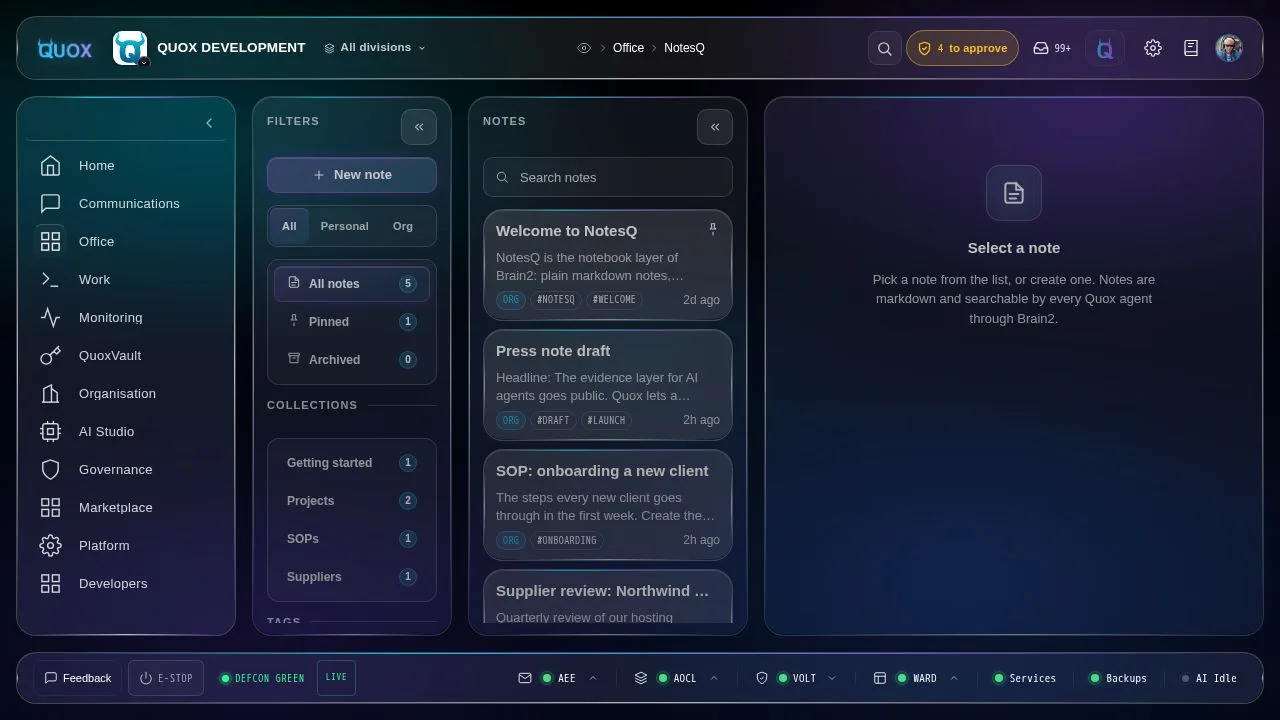
Writing

- A rendered editor by default: bold, italic, strikethrough, headings, bullet and numbered lists, checklists, quotes, code and links, with a toolbar and keyboard shortcuts.
- Switch to raw Markdown or a clean Read view at any time.
- Notes are stored as plain Markdown, so they stay portable.
- Focus mode and collapsible panes.
Linking and finding
- Link notes to each other with
[[double brackets]], with an autocomplete. Backlinks show what links to the note you are reading. - Search across notes. Related notes suggests notes on the same topic.
- Notes are indexed by Brain2, so Quox agents can find them when answering.
- Open a note in the Brain2 knowledge graph (requires the Brain2 graph plugin).
Organising
- Collections, tags, pinned and archived notes.
- Custom properties, such as type and status.
Personal and team notes
- Personal notes and team (org) notes are kept separate. A colleague cannot see your personal notes, and another org can never see yours.
- Any org member can edit team notes. Only the author or an admin can delete one.
History, safety and evidence
- Full revision history: restore any earlier version, even after a delete.
- Edit-conflict protection: two people, or a person and an agent, editing the same note never silently overwrite each other.
- Every create, edit, restore and delete is recorded as evidence (Quox's audit trail) without copying the note's content into the log.
Attachments (early access)
Paste a screenshot, drag and drop files, or use the attach button. Images show inline and other files appear as downloads. Attachments are stored per organisation, up to 25 MB per file.
Command line
quox notes ls | show | new | edit | search | facets | history | restore | rm | related
Example output:
$ quox notes ls --scope org
 ID          Title                               Scope  Collection   Tags
 47947fe7…   Q4 launch plan                      org    Projects     launch,planning
 60afe344…   Supplier review: Northwind Hosting  org    Suppliers    hosting,review
 333c57ef…   SOP: onboarding a new client        org    SOPs         onboarding
  🌌 BRAIN2 │ notes ls │ 5 of 5
Limits
- No real-time co-editing. Conflicts are detected, not merged live.
- Tables and raw HTML open in Markdown mode, not the rendered editor.
- Deleted notes keep their history. There is no permanent purge yet.
- Attachments are early access, up to 25 MB per file.
- Related notes improves once a new note has been indexed.
Planned
None of this is built yet. Listed in roadmap order.
Next
- A Notes-Q assistant in the sidebar you can talk to ("summarise this", "tidy these notes", "link related notes"). Agent edits arrive as a diff you approve.
- Voice capture ("note this under Ideas") through Quox voice.
- MCP tools so external agents can read and write notes.
Then
- AssistantQ wiring: meeting notes created from Calendar-Q events, save an email thread from InboxQ, extract actions into Action-Q, promote a note to a plan, and a "+ Note" button across Quox.
Later
- Suggested links and duplicate or stale-note detection.
- Search inside attachments.
- Table, card and timeline views from properties.
- Obsidian vault export and import.
- Notion import.